
Customer
Find a local business
A public Chakusa business profile and marketplace listing show the services, the business, and its reviews before any conversation starts.
Northside BarbersPublic profile · Services · Reviews
How it works
Two sides, one record
Customer
A public Chakusa business profile and marketplace listing show the services, the business, and its reviews before any conversation starts.
Business
Set up the business once. Chakusa uses it for the public profile, bookings, and every message you prepare later.
Customer
Message the business through its public profile, or phone as usual. Either way the business has a record to follow up on.
Business
Public-profile messages become leads automatically. On Android, so do missed calls. Anything else is a few taps to add.
Customer
The reply comes from a person at the business, prepared from their own template and sent by them over SMS or WhatsApp.
Business
Prepare message fills your template with the customer's name and service. You choose Copy, Open SMS, or Open WhatsApp.
Customer
The appointment is made against the business's real services and availability, and a booking confirmation follows by SMS.
Business
Services, availability, and the team calendar come together, and the customer's confirmation goes out.
Customer
A reminder arrives ahead of the appointment, so the visit isn't forgotten. The service itself is the business's craft, not the app's.
Business
The customer's history, notes, and previous visits are on one profile, so the conversation starts where it left off.
Customer
After the visit the customer is asked for a review, whatever the business expects them to say. Nobody is filtered out.
Business
Review requests go to every eligible customer, never withheld based on how the visit is expected to go.
Customer
When the usual gap since the last visit has passed, the business can send a friendly reminder to come back.
Business
Chakusa surfaces customers who haven't rebooked in their usual window, so you can reach out before they drift away.
Names shown are illustrative demo data.
Where the two sides meet
The customer's chosen time becomes an appointment in the business calendar, and a confirmation goes to the customer.
A reminder goes out ahead of the appointment; the business sees the customer's history when they arrive.
Every completed visit can get a review request, with no filtering by expected rating.
Customers past their usual rebooking window are flagged, and the business chooses when to reach out.
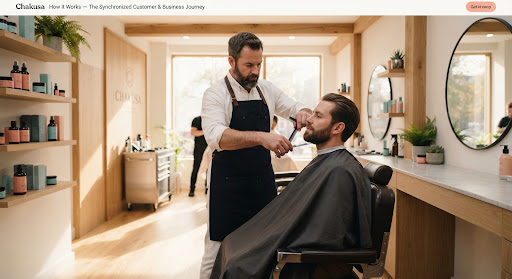
Regulars on a few-week cycle, walk-in enquiries during a cut, and reviews while the fade is fresh.

Repair enquiries while the workshop is mid-job, bookings by service, and reminders when the next service is due.

Shoot enquiries captured as leads, confirmed sessions, and a public profile clients can find.
Straight Answers
Set up your business profile, services, and team, then customers can start finding and contacting the business through Chakusa.
Missed calls and enquiries become leads with the customer's details and service context attached, flagged for attention.
Yes. Services, availability, and the calendar connect an enquiry to a confirmed appointment, with reminders ahead of the visit.
Chakusa can prepare responses, reminders, and follow-ups using the business's information. Automation is owner-reviewed, and a team member can take over any conversation at any point.
Chakusa helps prepare a review request while the visit is still fresh and collects private feedback alongside it, for every visit. Requests are never withheld based on how a visit is expected to go.
Chakusa tracks each customer's visit history and surfaces a reminder when they haven't rebooked in the expected window. It cannot guarantee a customer returns.
Yes. The dashboard brings leads, bookings, reviews, and customers due back into one working view.
Yes. Barbers, salons, dentists, mechanics, cleaners, photographers, and similar local service businesses that rely on repeat customers.
Get started